To use Instagram Reels for business, switch to a professional account, decide which few problems your reels will solve for your ideal client, post short expert videos on a steady schedule, and give every reel one clear next step: follow, save, send or DM you. Then check which reels bring profile visits and messages, not just views, and make more of those.
That's the whole system. The rest of this guide is how to do each part well when you're a coach, beauty professional, therapist, consultant or local business owner with limited time.
Step 1: Set up your account so reels can work for you
Switch to a professional account
In the Instagram app, go to your settings, choose Switch to professional account, and pick a category. Instagram walks through this on its business getting-started page. A professional account lets you check whether your content can be recommended in Account Status and use trial reels. Insights and in-app scheduling work on any public account.
Keep the account public
Instagram only recommends content from public accounts, and creator and business accounts are public by default. Reels reach people who don't follow you yet mainly through recommendations, so a private business account cuts off most of your reach.
Make the profile answer "what do you do and for whom?"
Someone who likes your reel will tap your profile and decide in seconds. Make sure they see:
- Name field with a keyword: "Anna | Brow Artist London", not just "Anna". Instagram suggests keeping your handle, bio and captions relevant to the keywords people search for.
- A bio with the result you deliver, who it's for, and one action ("DM 'brows' to book").
- Pinned reels that explain what you do, show results and answer the top objection.
Step 2: Decide what your reels are for
Reels for business aren't about going viral. They're about the right people seeing you often enough to trust you. Before you film anything, write down:
- Who you want to reach. Specific: "women 30–45 who've had bad lash extensions before," not "everyone."
- What they need to believe before they buy. That the problem is fixable, that you understand it, that your way is safe or worth the price.
- 3–5 themes that build those beliefs. These are your content pillars.
Most business accounts need a mix of reels that teach (useful, shareable), prove (results, process), connect (you, your values) and convert (what working with you looks like, objections answered).
Step 3: Choose reel types that lead to clients
These formats consistently fit expert and small-business accounts, because they show expertise without needing a production team:
| Reel type | Best for | Example |
|---|---|---|
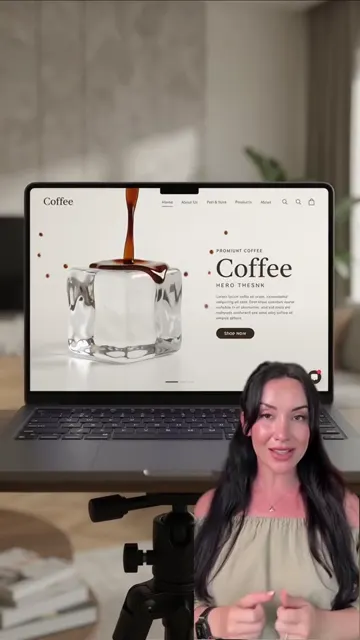
| Talking to camera with cutaways | Teaching, opinions | A consultant explains one costly mistake, cutting to screenshots |
| Process / behind the scenes | Proving skill, local businesses | A nail tech's full set sped up, with voiceover on why each step matters |
| Before/after with explanation | Beauty, design, fitness, repair | Result first, then the one decision that made it work |
| Reaction | Reach, authority | Your expert take on a popular claim in your niche |
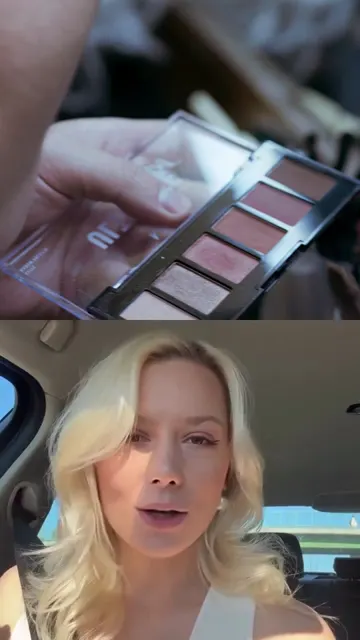
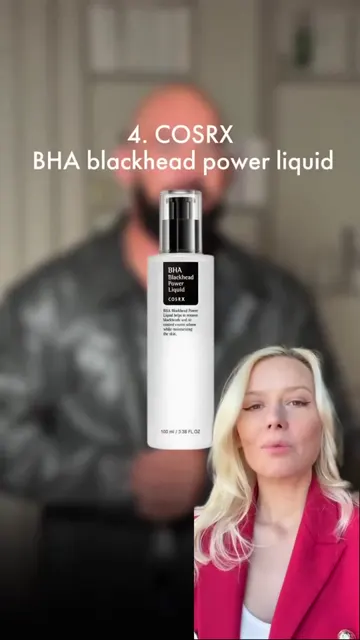
| Split screen | Explaining something visual | You on one side, the document, product or example on the other |
| FAQ answer | Converting | "Do you take walk-ins?" answered by the owner |
Pick two or three of these formats and rotate them, rather than trying a new style every week.
Step 4: Script every reel before you film
Unscripted reels drift, run long and bury the point. A simple structure for a 30–60 second business reel:
- Hook (first sentence). Name the problem or promise the payoff. Instagram advises creators to pull the viewer in within the first 3 seconds. See Instagram Reels hooks for patterns.
- The point. One idea, said plainly.
- One example or proof. A real situation, a demonstration, a before/after.
- One next step. "Save this for your next appointment," "Send this to someone who needs it," or "DM me 'audit' and I'll send the checklist."
Write it the way you talk, then read it out loud and cut anything you stumble on.
How long should a business reel be?
Instagram recommends reels of up to three minutes to people who don't follow you. That's a ceiling, not a target. We recommend most business reels stay under a minute: one point, delivered fast, is easier to watch to the end.
Step 5: Produce reels that Instagram can recommend
Instagram publishes guidelines for content it will recommend to non-followers. The parts that matter most for businesses, from its recommendation tips for creators:
- Original content. Content you filmed yourself or that hasn't been posted on Instagram before. Don't reupload other people's reels.
- No watermarks from other apps, and nothing blurry or low quality.
- Vertical, full-screen video, without borders, and text that doesn't cover most of the screen.
- Keywords and hashtags in the caption, not in the comments, so the reel can be found in Search.
A note on music for business accounts
Be careful with popular songs. Meta's music guidelines say that using music for commercial or non-personal purposes is prohibited unless you have obtained appropriate licenses, and the music library you can access may differ by account type and country, which Instagram explains in its Help Center. The safe options: tracks from the library Instagram offers your account, your own original audio, or a voiceover with no copyrighted music.
Add captions
Burned-in subtitles make reels watchable with the sound off and easier to follow when you explain something technical.
Step 6: Post consistently, not constantly
The businesses that get results from Reels are rarely the ones that post ten times in one week and then disappear. Pick a pace you can keep for three months: two or three reels a week is realistic for most solo experts.
Two things make that easier:
- Batching. Script five reels in one session, film them in another.
- Scheduling. Any public account can schedule Reels inside the Instagram app, up to 25 posts a day and up to 30 days ahead, or you can use a tool. Our guide covers how to schedule reels on Instagram.
Test new ideas with trial reels
Worried a new topic or format won't land with your followers? Instagram's trial reels are shown to non-followers first. After about 24 hours you can see views, likes, comments and shares, and you can let Instagram share the reel with your followers automatically if it performs well in its first 72 hours.
Step 7: Measure what actually matters for business
Views are nice. Clients are better. When you open insights for a reel, look at:
- How long people watch, and whether they finish. Instagram says what it predicts for Reels includes how likely someone is to reshare a reel, watch it all the way through, like it, and go to the audio page.
- Shares and saves. Signs the reel was useful enough to keep or send.
- Profile visits, follows and DMs after the reel. This is the business number. A reel with modest views that brings three booking messages beats a viral reel that brings none.
Every month, list your five best reels by business outcome and ask what they have in common: pillar, format, hook, length. Do more of that. Our Instagram Reels analytics guide explains each metric.
Step 8: Turn viewers into clients
Reels start the relationship; your profile, DMs and offer finish it.
- Use one keyword CTA per reel. "DM me 'plan'" is easier to act on than "contact me for more info."
- Reply to every relevant comment and DM, quickly, as a person.
- Have a link in bio that goes straight to booking or a simple contact form.
- Pin your "how to work with me" reel so new visitors find it.
How to keep up with Reels when you don't have time
The honest reason most experts stop posting isn't a lack of ideas. It's that filming, editing and captioning every reel takes hours they don't have.
That's the problem WowFlō was built for. You paste a link to a profile or reel from your niche and get 24+ ideas based on what's getting views there. Pick one, get a script in your own words, and your AI twin, your face and voice recorded once on camera, makes the reel with subtitles, cover and music. WowFlō can publish it to Instagram straight away or on a schedule.
If Reels keep falling off your to-do list, try making your first one with WowFlō. It takes about 15 minutes, and the first generation is free with no card required. Plans are on the pricing page.
FAQ
Do I need a business account to use Instagram Reels for business?
Any account can post reels, and insights and in-app scheduling work on any public account. A professional account (business or creator) is public by default and adds tools like Account Status recommendation checks and trial reels, so for a business, switching is worth it.
How often should a business post Reels?
As often as you can sustain for months. For most solo experts and small teams we recommend two or three reels a week, posted steadily, rather than bursts followed by silence.
Can I use popular songs in Reels for my business?
Be careful. Meta's music guidelines prohibit using music for commercial purposes without the appropriate licenses, and the library available to your account may be limited. Use audio Instagram offers your account, your own original audio, or a voiceover.
What kind of Reels get clients, not just views?
Reels that teach something specific to your ideal client, show your results or process, and end with one clear action like a DM keyword. Measure success by profile visits, follows and messages, not views alone.